Location Scouting Software
About ScoutCloud
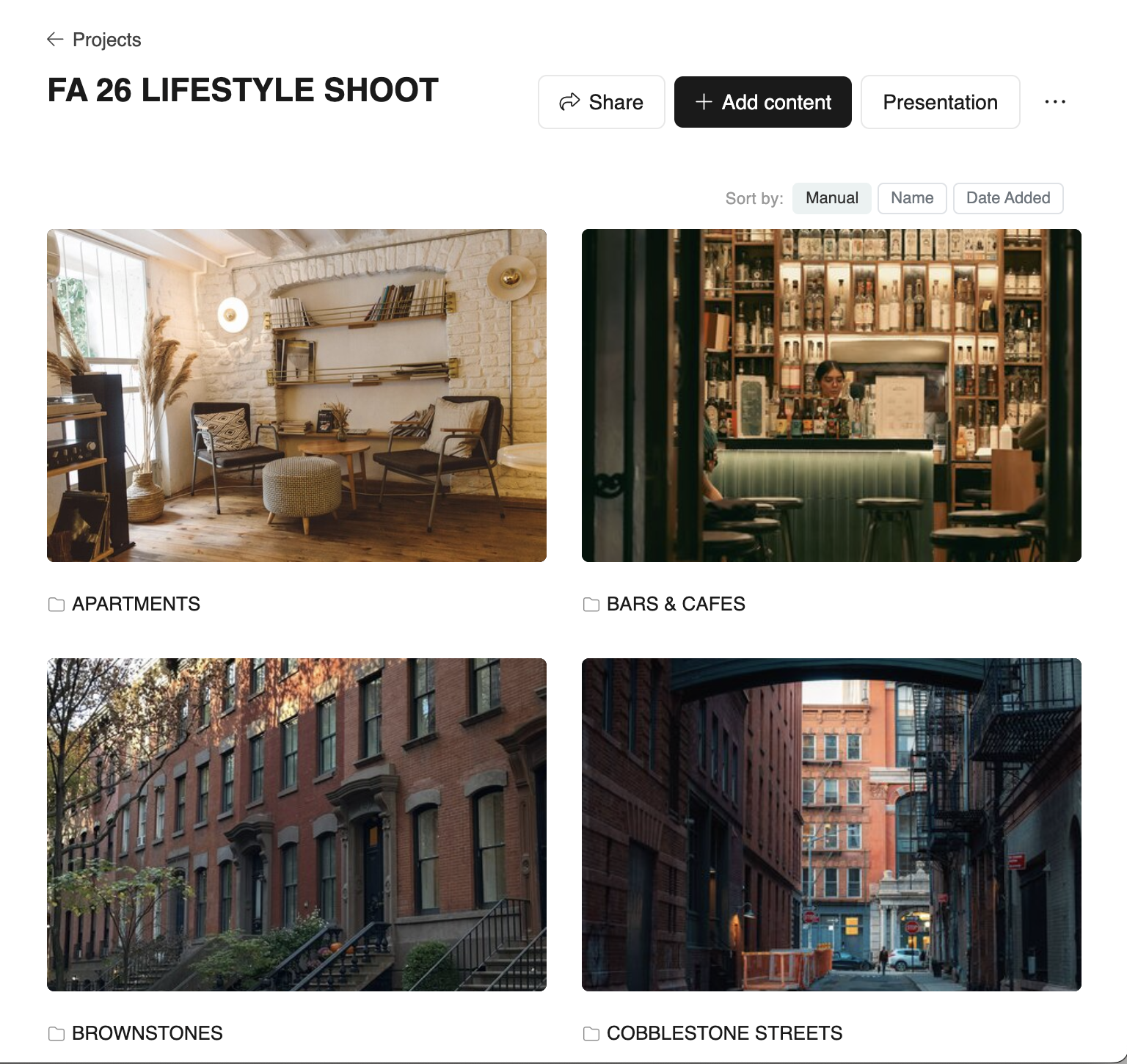
ScoutCloud is a web-based platform for location scouts, producers, and visual production teams to organize location content and share polished client presentations.
✓ No credit card · ✓ No client login required
The idea
What ScoutCloud is
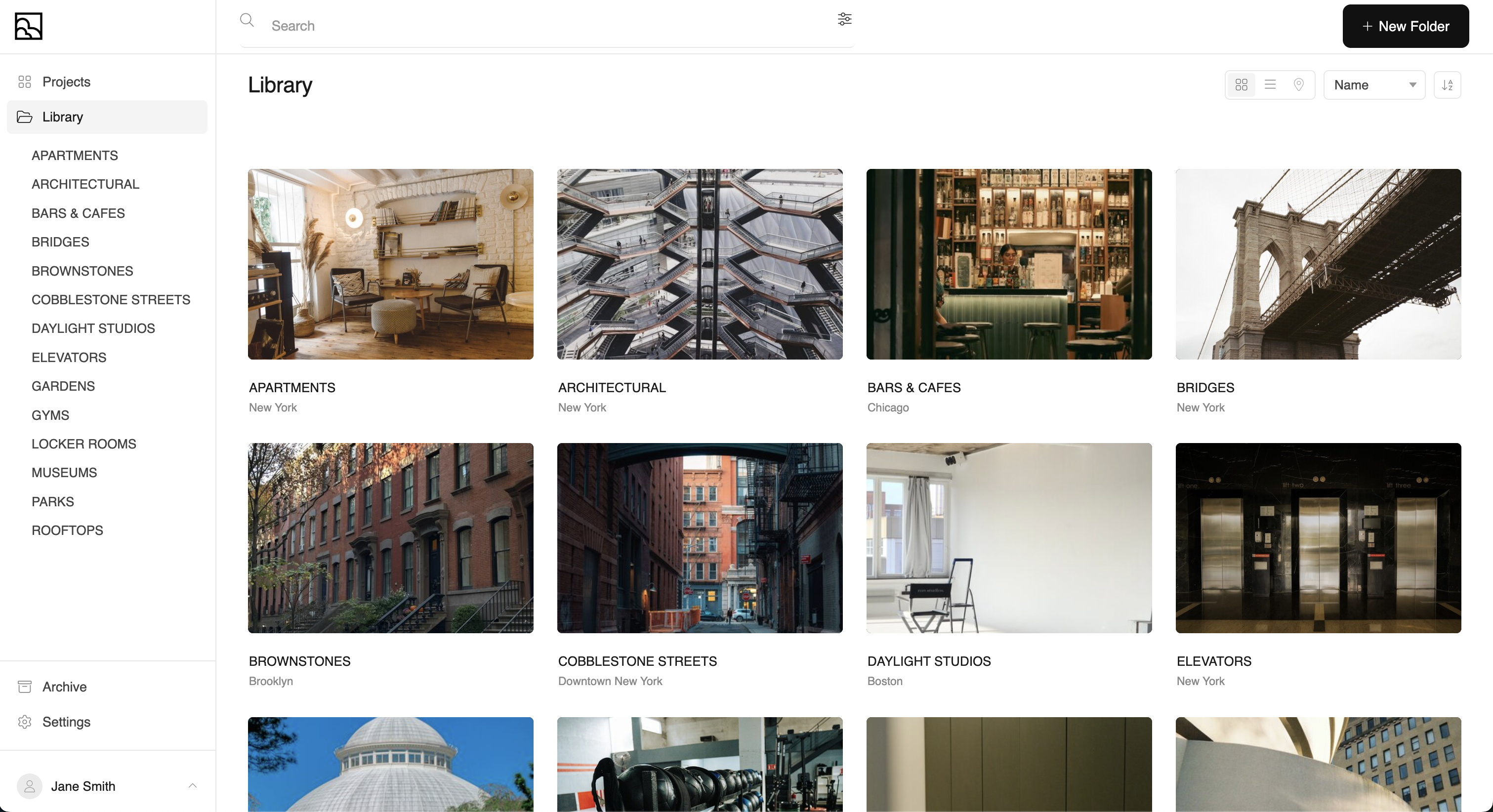
ScoutCloud is purpose-built software for location-driven creative work. Where general file-storage tools end at "here's a folder of photos," ScoutCloud begins: every location becomes its own page with images, video, notes, links, and a map address — and every project becomes a curated, client-facing presentation.
Audience
Who it's for
- Location scouts building libraries and pitching locations to producers.
- Producers and production coordinators presenting options to directors and clients.
- Production designers and art departments organizing reference and shoot locations.
- Commercial and editorial photographers sharing potential shoot locations.
- Agencies and creative teams who need to review and approve locations quickly.
In practice
Main use cases
- 01Building a reusable location library you scout once and pitch many times.
- 02Assembling project-specific presentations for a single shoot or campaign.
- 03Sharing a private, branded link with a client — no login, no tooling overhead.
- 04Letting team members or guests add to a scout (guest uploads, guest links).
- 05Reviewing locations as a team with likes, notes, and comments.
Features
Core features
- Drag-and-drop uploads of photos, videos, HEIC, and PDFs — organized into folder-style locations.
- Three presentation templates: Simple, Descriptive, and Map.
- Pins to highlight selected locations at the top of a project.
- Per-location notes, addresses, and external link attachments.
- Client interactions: likes and notes on individual images and folders.
- Shareable presentation URL with optional password and view-as-preview mode.
- Guest uploads and guest-added links for collaborative scouting.
Comparison
How ScoutCloud compares to generic tools
| Tool | Designed for | How ScoutCloud differs |
|---|---|---|
| Dropbox / Google Drive | Generic file storage | ScoutCloud presents locations, not files — folders become rich pages with notes, links, and maps. |
| SmugMug / Pixieset | Photographer galleries | ScoutCloud is structured around locations (folders), addresses, and a scouting workflow rather than client photo proofing. |
| Google Slides / Keynote | Manual presentations | ScoutCloud auto-renders presentations from the content you upload — no slide-building required. |
| Spreadsheets | Tracking metadata | ScoutCloud stores metadata (notes, addresses, tags) inline with the visual content where it belongs. |
Why it matters
Why location scouts use it
Scouting is visual work. Decisions get made when a client can quickly compare options, read context, and click through to high-resolution images and video. ScoutCloud removes the friction of stitching together folders, decks, spreadsheets, and Dropbox links — your scout becomes the share link.
Questions
FAQ
What is ScoutCloud?
ScoutCloud is a web-based platform built specifically for location scouts, producers, and visual production teams. It lets you organize photos, videos, notes, and links from location scouts and assemble them into polished, client-ready presentations that you share with a single link.
Who is ScoutCloud for?
Location scouts, producers, production designers, photographers, and commercial production teams who scout, organize, and present locations to clients, directors, and creative teams.
Is ScoutCloud built for location scouts?
Yes. ScoutCloud is purpose-built for the location-scouting workflow: scout, organize by folder, add notes and links, pin highlights, and share a curated presentation with a client — without forcing them to log in.
How is ScoutCloud different from Dropbox or Google Drive?
Dropbox and Google Drive are general-purpose file storage. ScoutCloud is a presentation layer for location content: folders become locations, attachments are displayed as galleries, notes and links live alongside images, and the share link renders as a polished project page rather than a list of files.
Can ScoutCloud be used to share locations with clients?
Yes. Every project gets a shareable link that renders a clean, branded presentation. No client login is required by default, and projects can be password-protected when needed.
Does ScoutCloud support photos, videos, notes, links, and maps?
Yes. ScoutCloud handles photos and videos as attachments, supports per-location and per-image notes, lets you attach external links, and includes a map view that plots locations by their addresses.
Ready to try it?
Free to start. No credit card. No client login required.